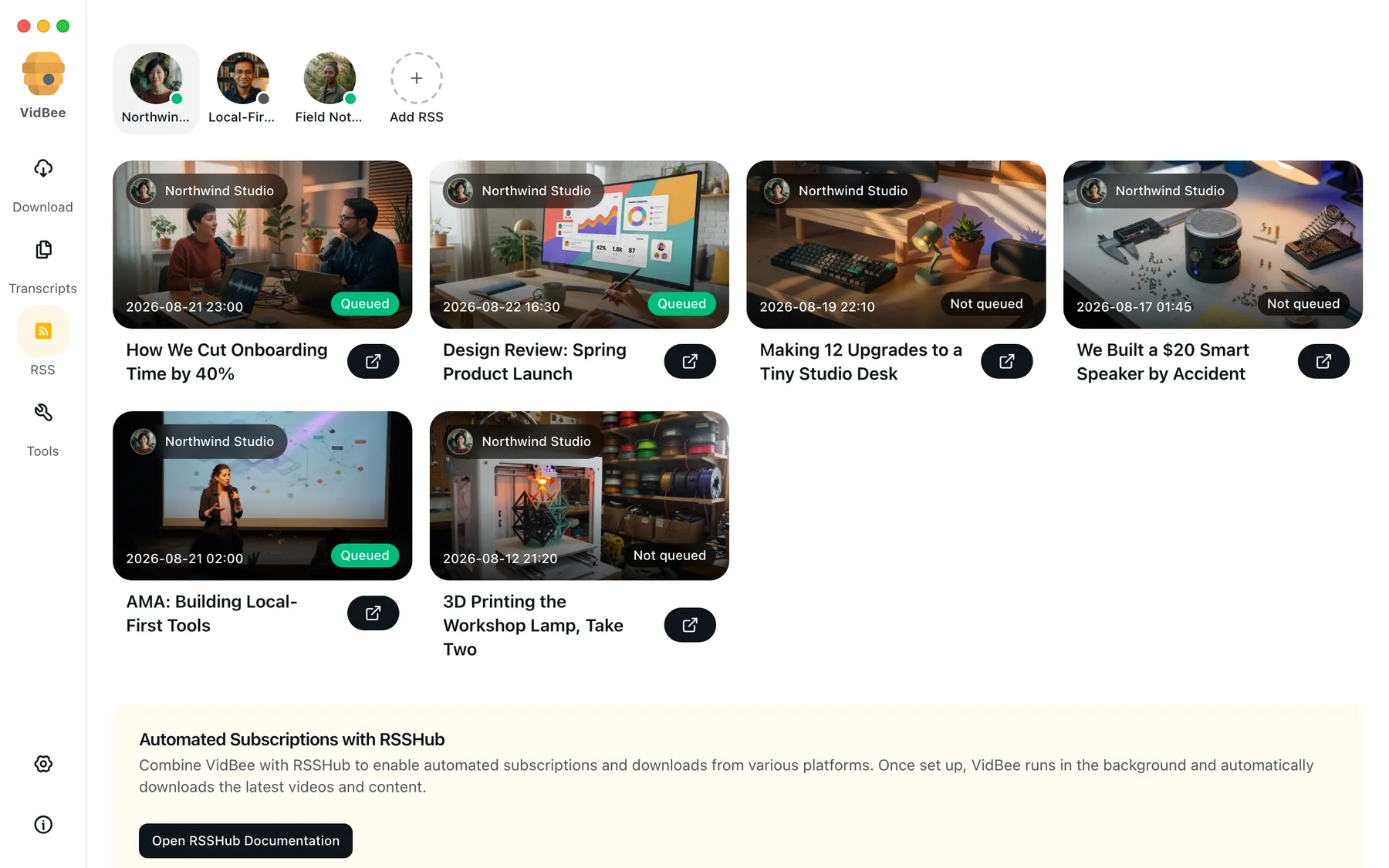
Speaker recognition
Separate voices, rename speakers, and jump straight to every moment they spoke.
Download from YouTube, TikTok, Instagram, X, and 1000+ sites, or import your own files. VidBee creates searchable, timestamped transcripts on your computer, so you can find exact moments, export the text, or summarize and translate with the AI provider you choose.
Free. No account. Supports macOS, Windows, and Linux.

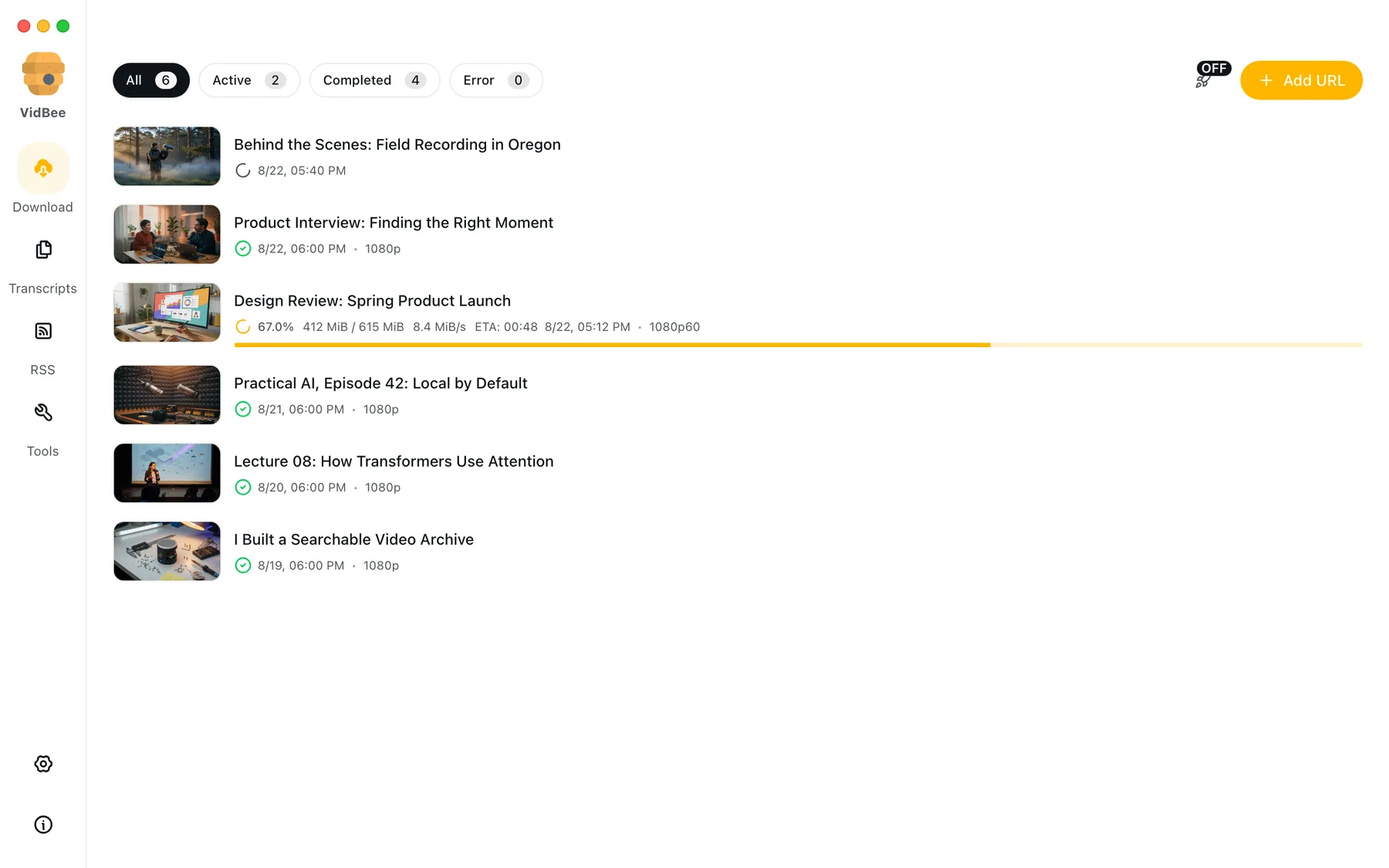
Paste a link or choose a file
Download a video or playlist from 1,000+ sites, or import media already on your computer.
Create a local transcript
Get searchable text with speaker labels and timestamps. Your media never needs to leave the device.
Search and jump to the moment
Click a result to play the exact timestamp, then export text or subtitles, summarize, or translate.

Save playlists, channels, and search results from YouTube in high quality. Download YouTube Watch Later, Liked videos, and private YouTube playlists.
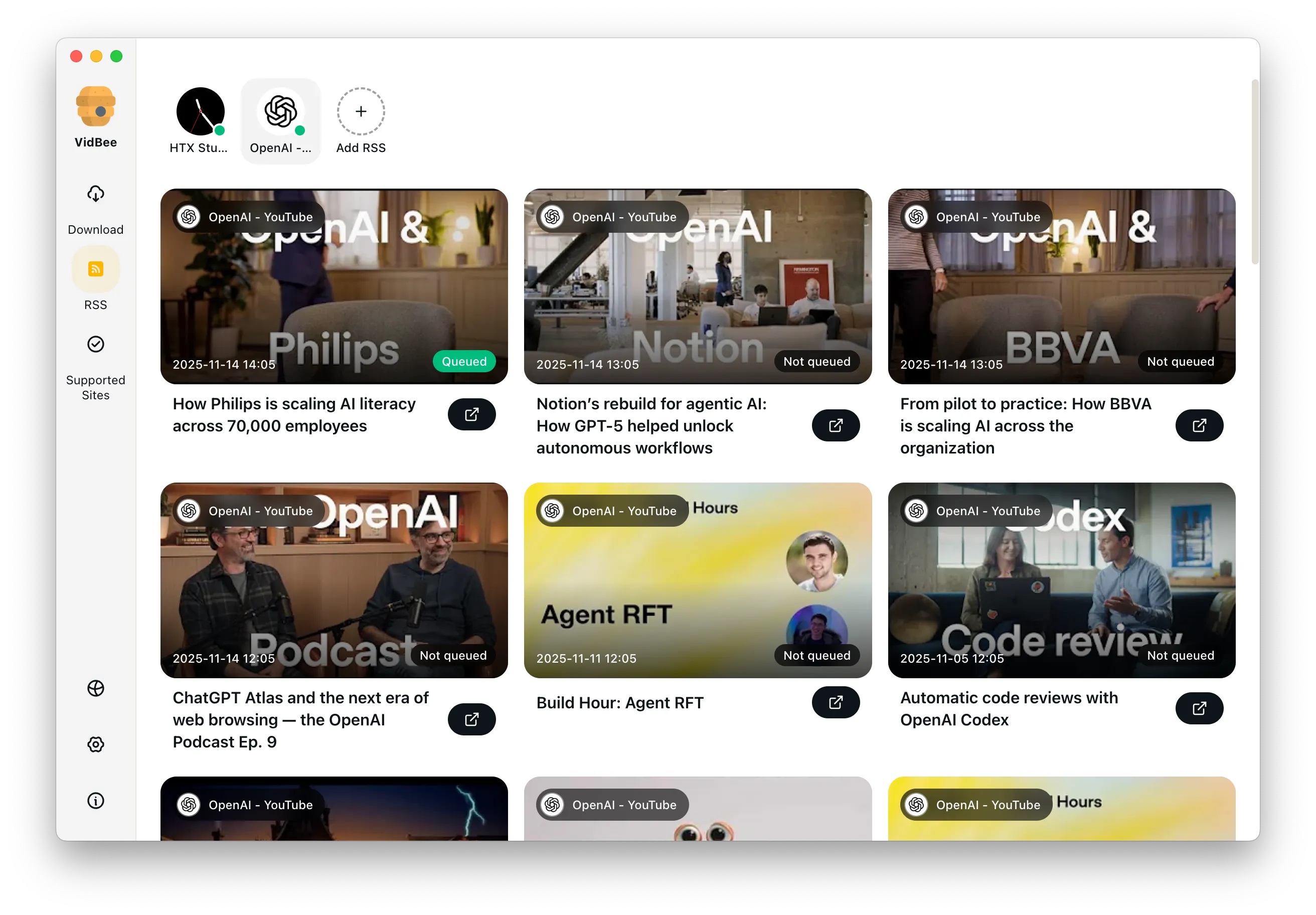
Download annotations and subtitles along with YouTube videos. Save them in SRT format and choose from 50+ languages.
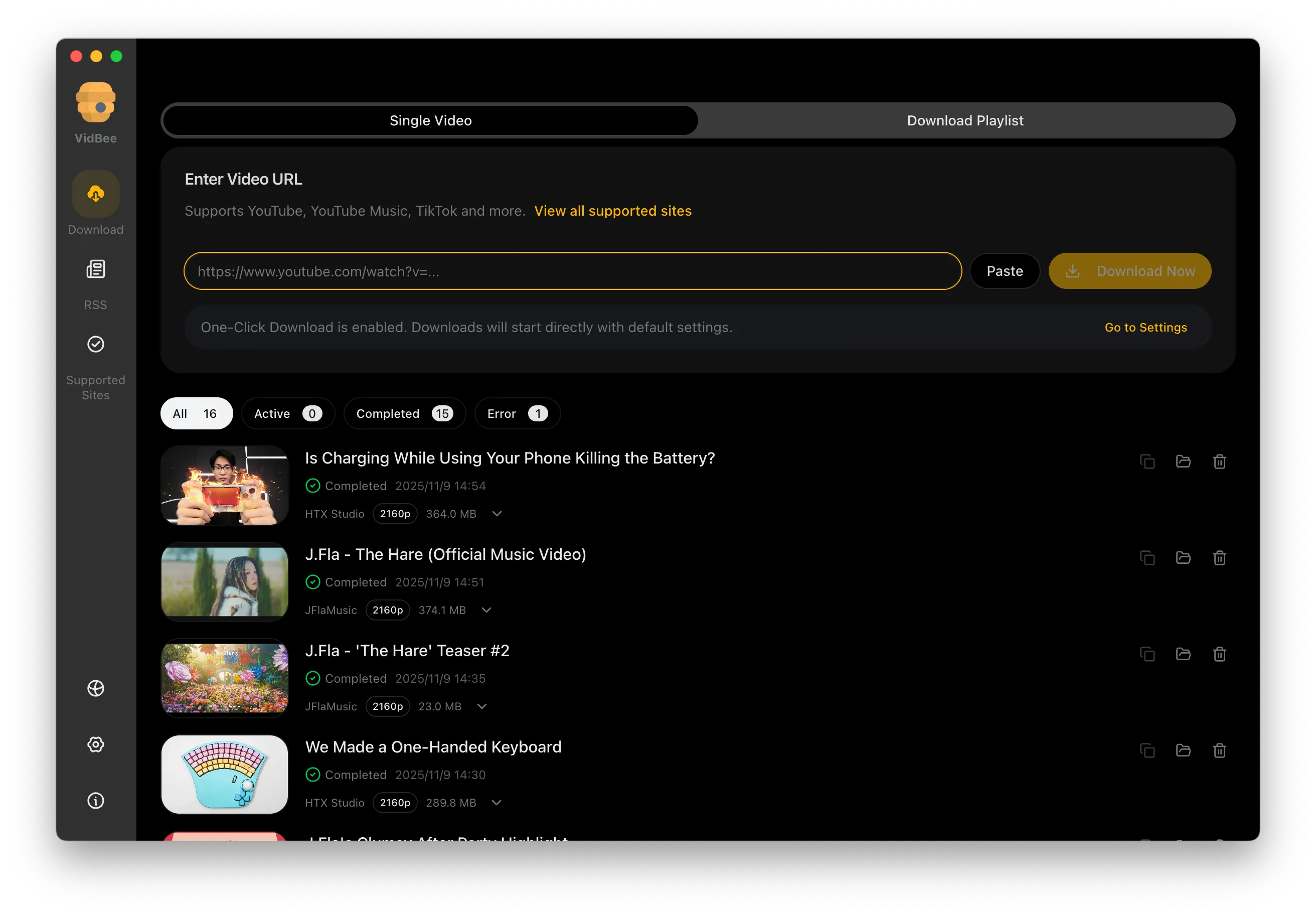

Download videos in HD 720p, 1080p, 4K, and 8K resolution. Enjoy high definition on any device.
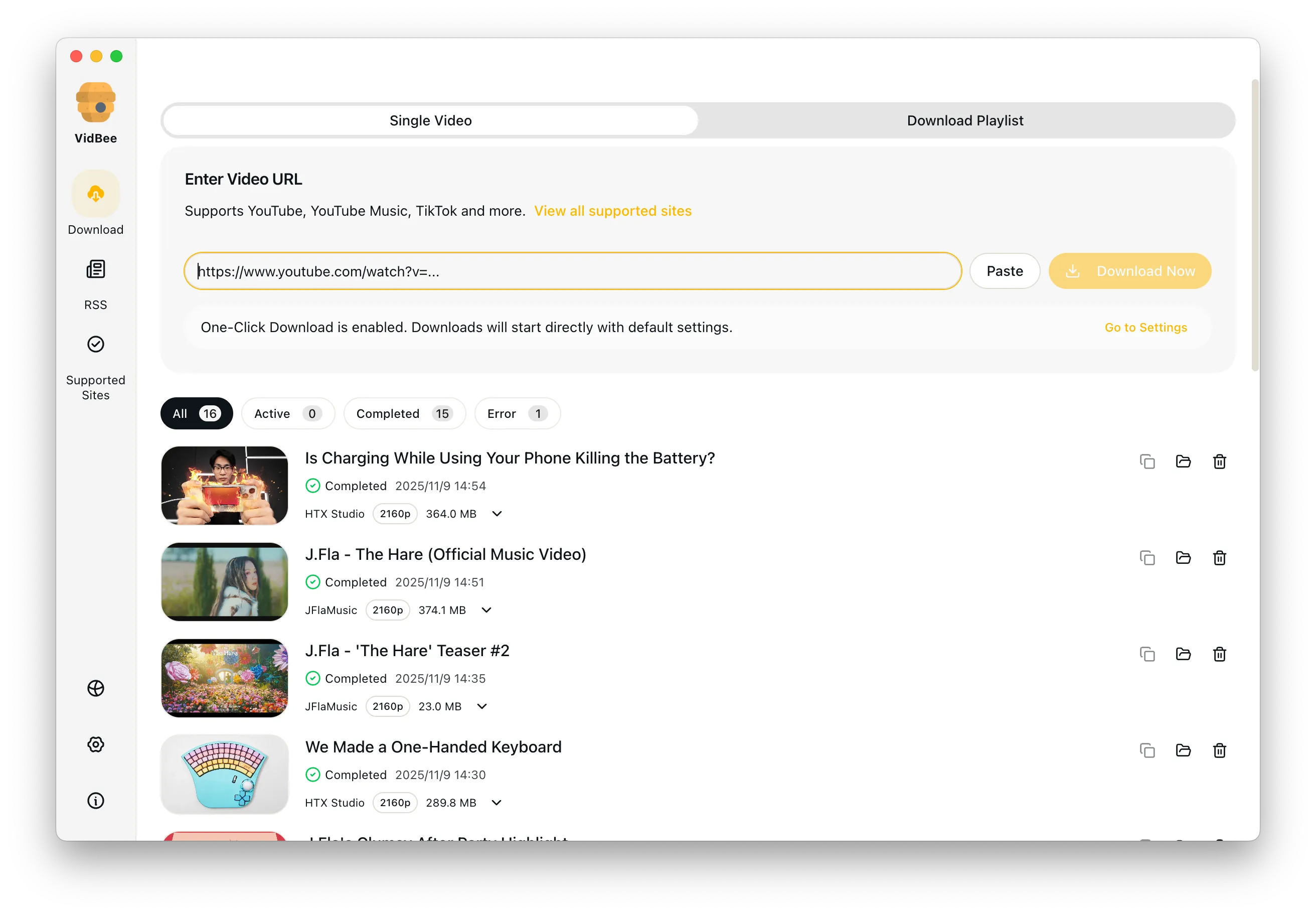
VidBee is free and open source. Downloads and transcripts stay on your computer—not on VidBee's servers. Under the hood, it runs on yt-dlp and FFmpeg—the same battle-tested engines used in production around the world.
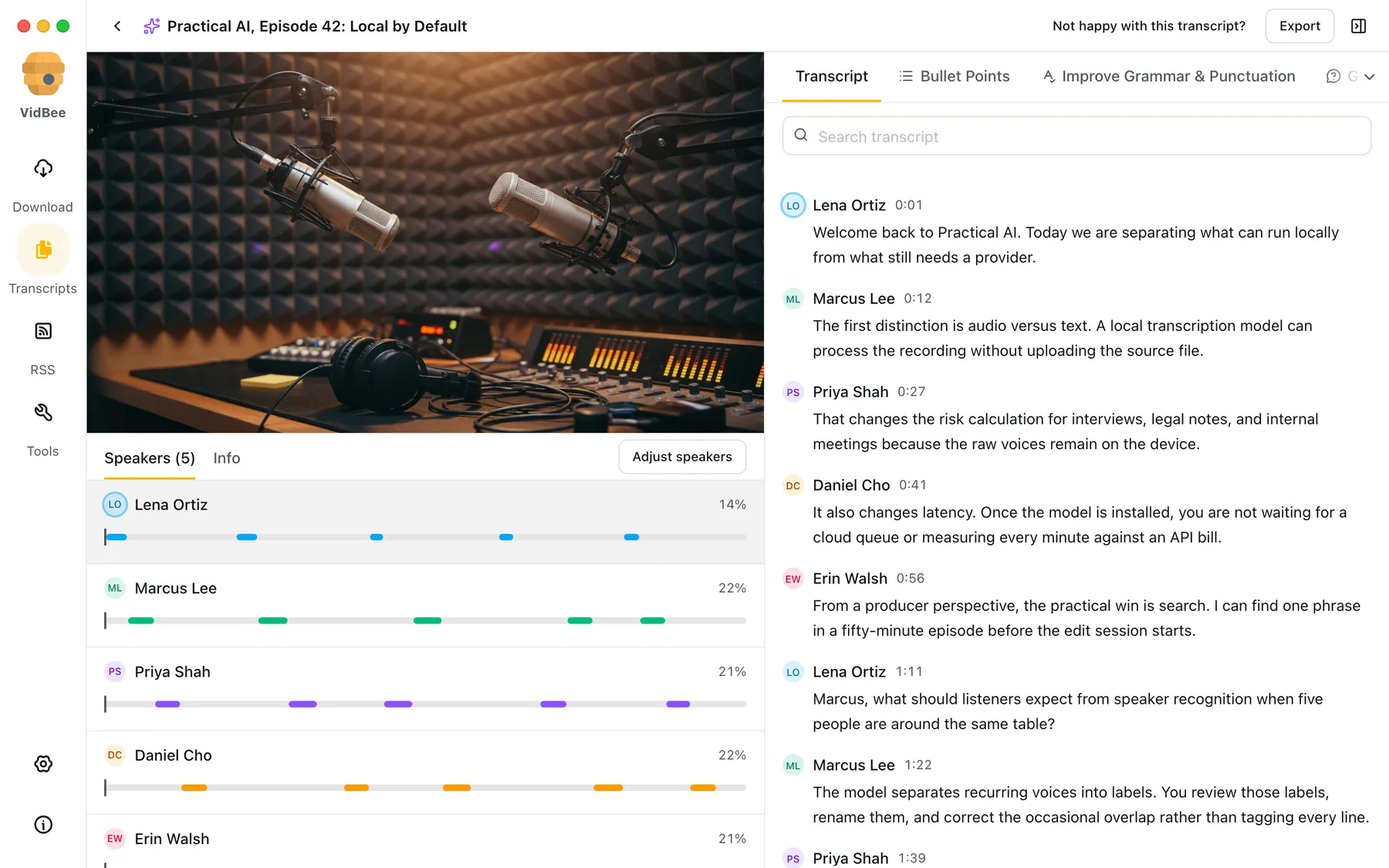
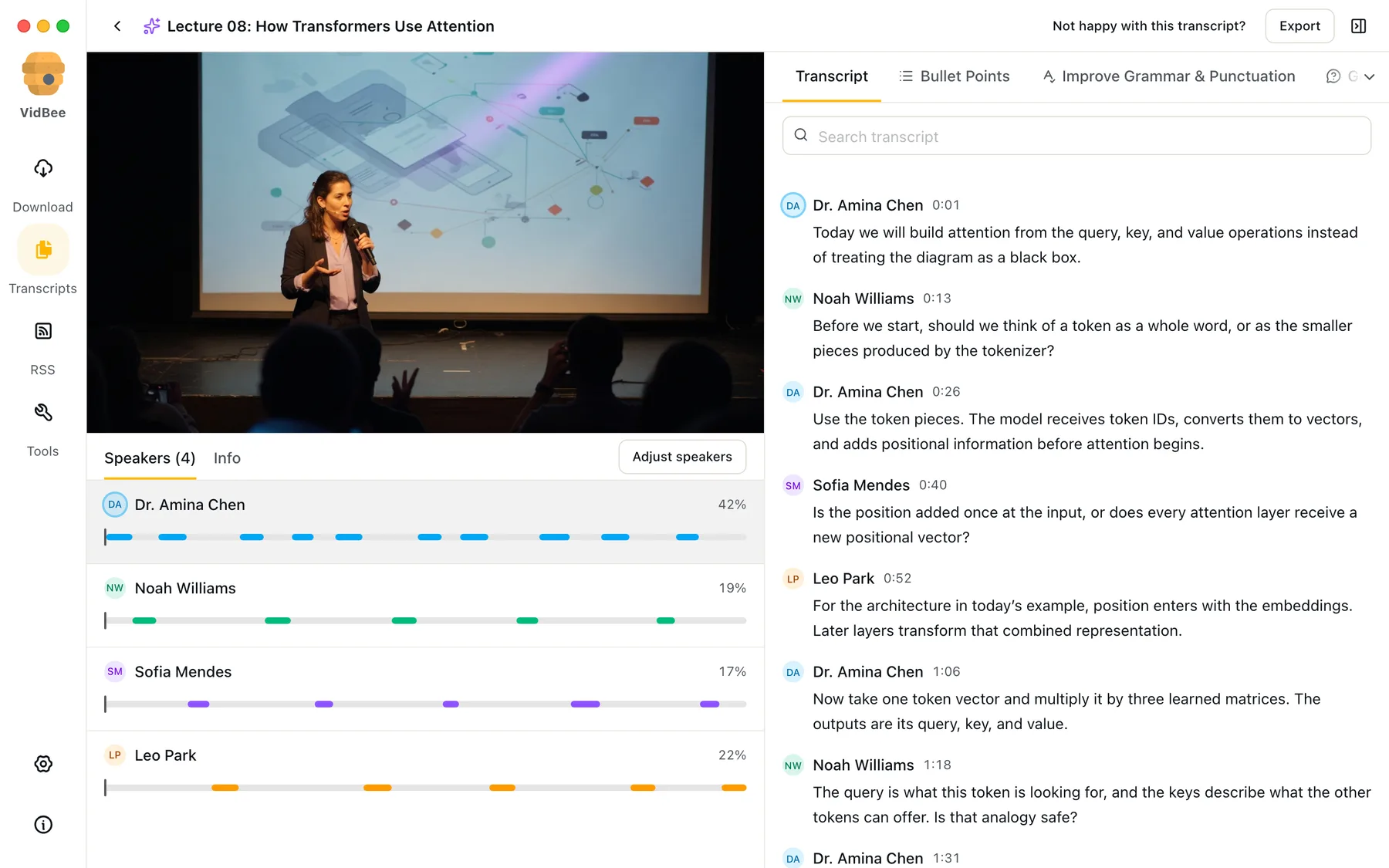
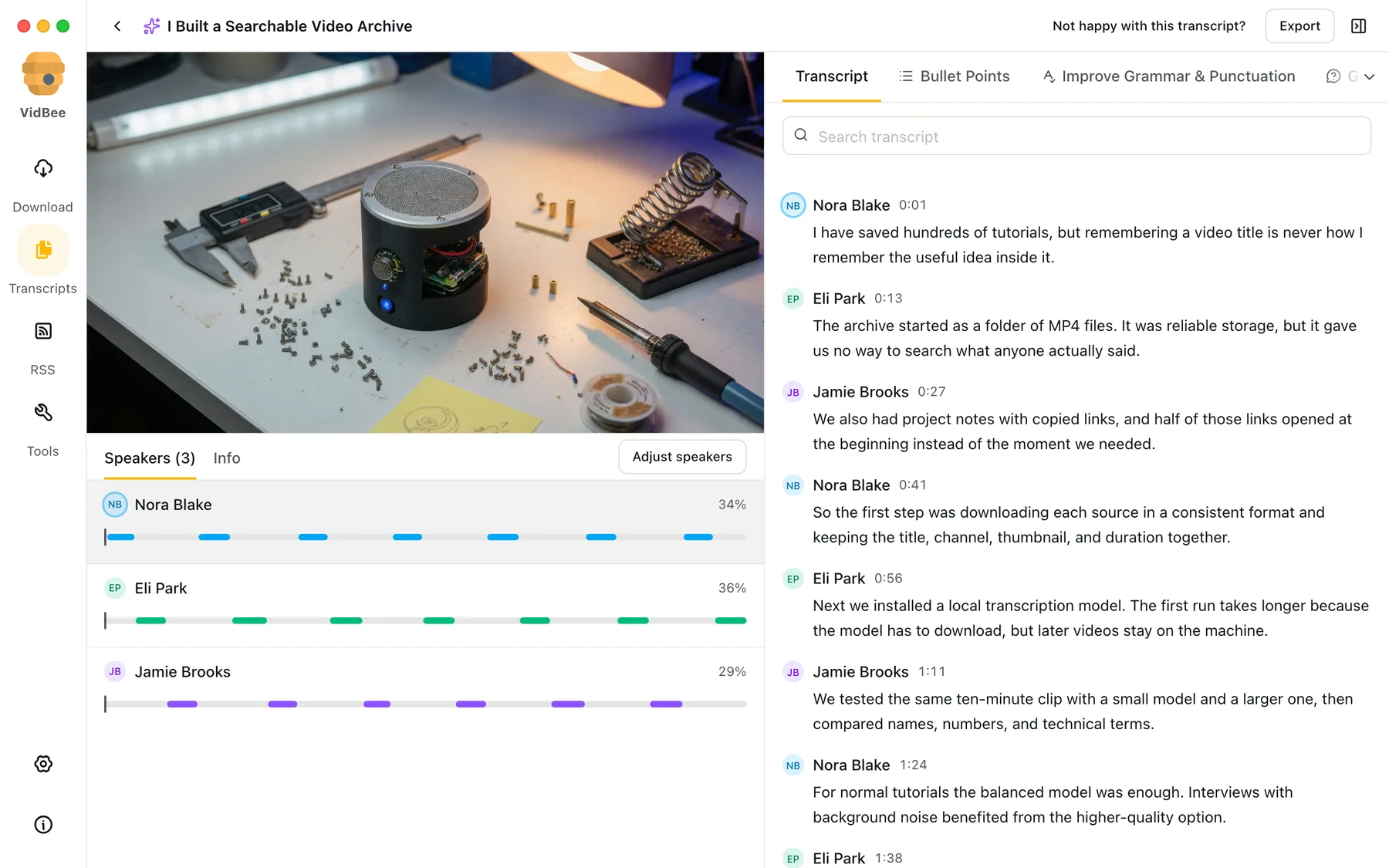
Transcribe interviews, podcasts, lectures, YouTube downloads, or files already on your computer. VidBee keeps the words, speakers, timestamps, and playback together.
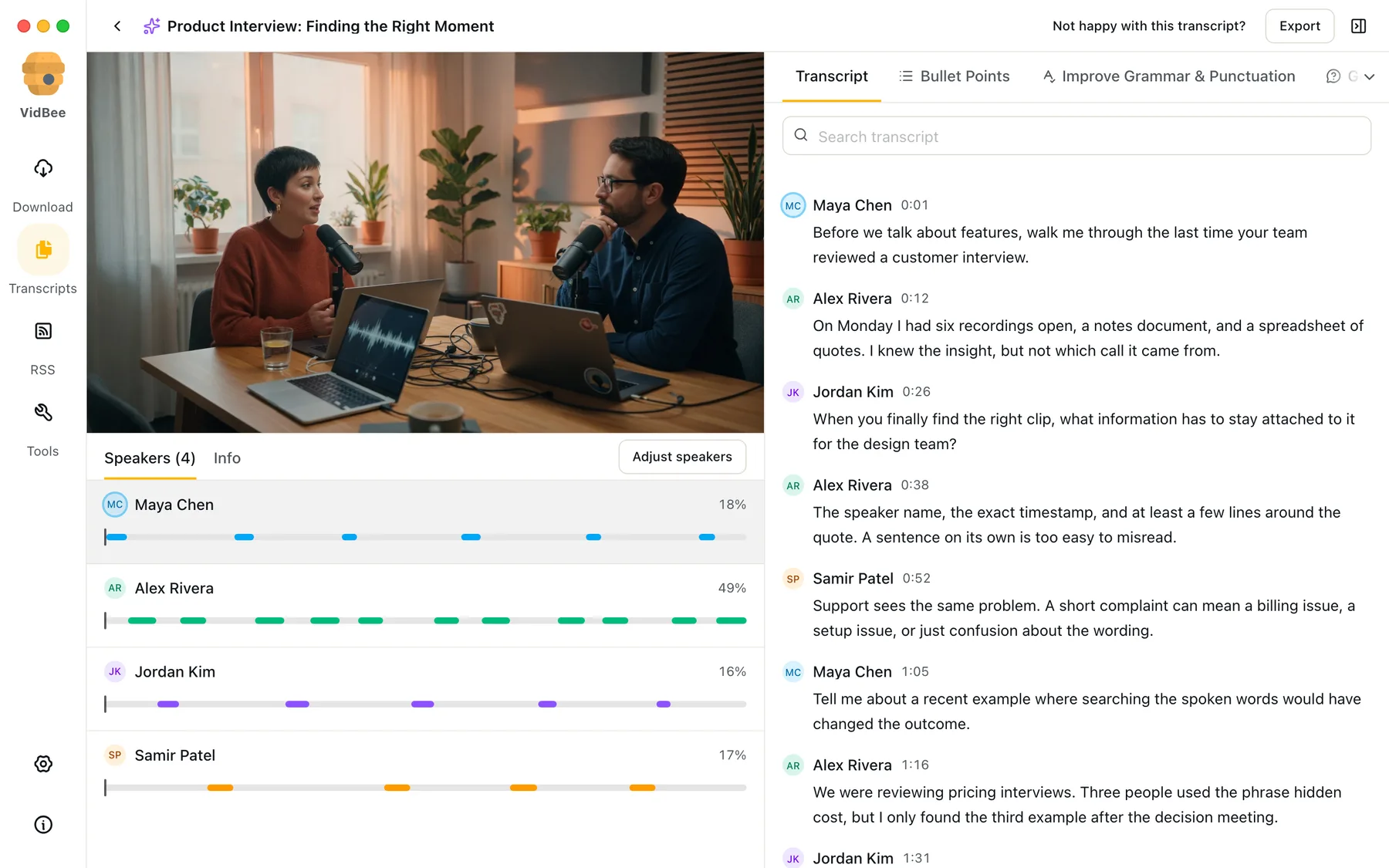
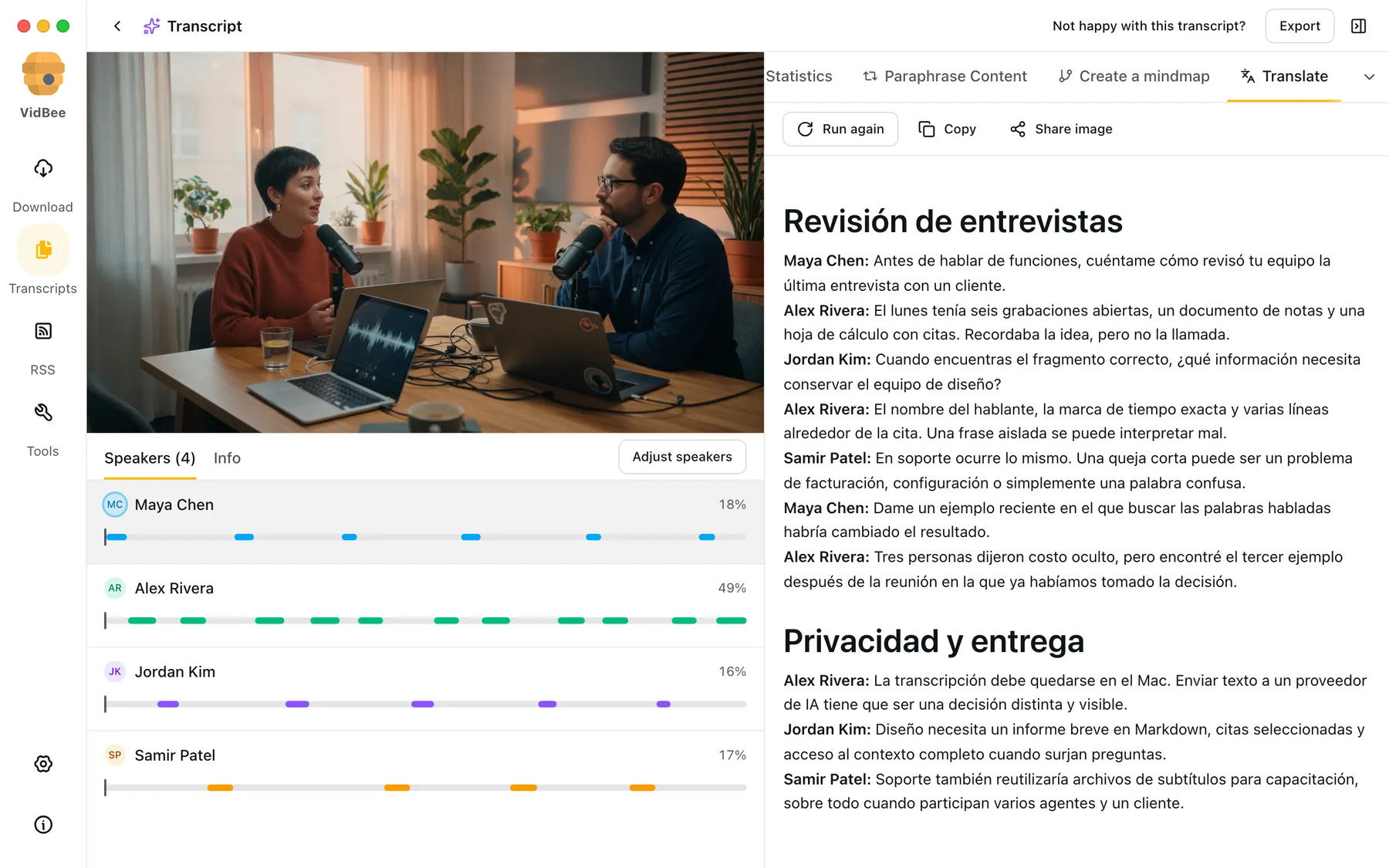
Separate voices, rename speakers, and jump straight to every moment they spoke.
 Maya Chen0:01
Before we talk about features, walk me through the last review.
 Alex Rivera0:12
On Monday I had six recordings open, a notes document, and a spreadsheet of quotes.
 Jordan Kim0:26
When you find the right clip, what has to stay attached to it?
Whisper detects the language automatically, then keeps every line timestamped and synced with playback.
Take the transcript with you as text, Markdown, subtitles, or captioned video.
Find a word or phrase, select the line, and continue from the exact timestamp.
Choose  Whisper,
  SenseVoice or
 '%20fill-rule='nonzero'%3e%3c/path%3e%3cdefs%3e%3clinearGradient%20id='lobe-icons-qwen-_R_0_'%20x1='0%25'%20x2='100%25'%20y1='0%25'%20y2='0%25'%3e%3cstop%20offset='0%25'%20stop-color='%236336E7'%20stop-opacity='.84'%3e%3c/stop%3e%3cstop%20offset='100%25'%20stop-color='%236F69F7'%20stop-opacity='.84'%3e%3c/stop%3e%3c/linearGradient%3e%3c/defs%3e%3c/svg%3e) Qwen3-ASR. Download once, then transcription runs locally.
Qwen3-ASR. Download once, then transcription runs locally.
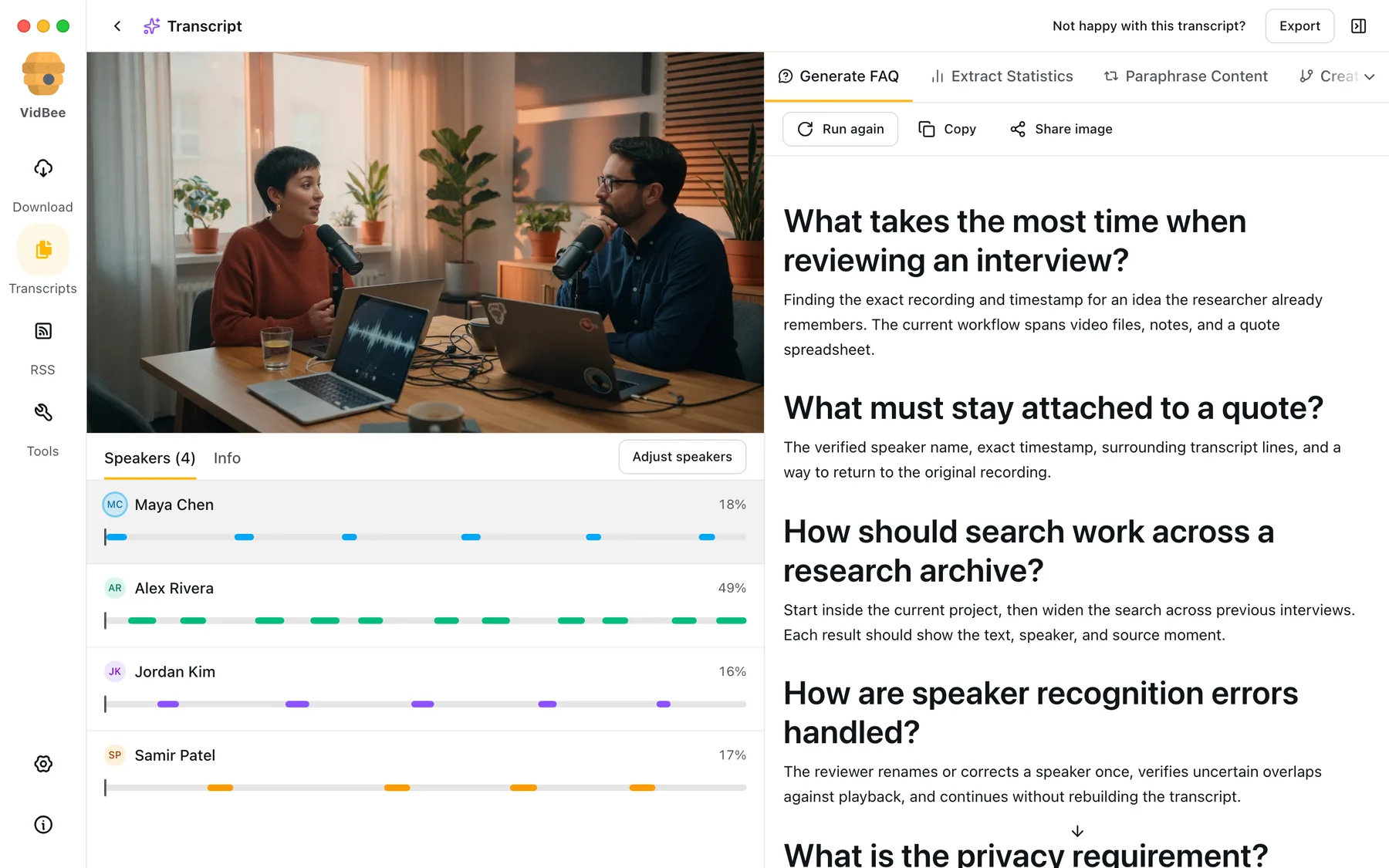
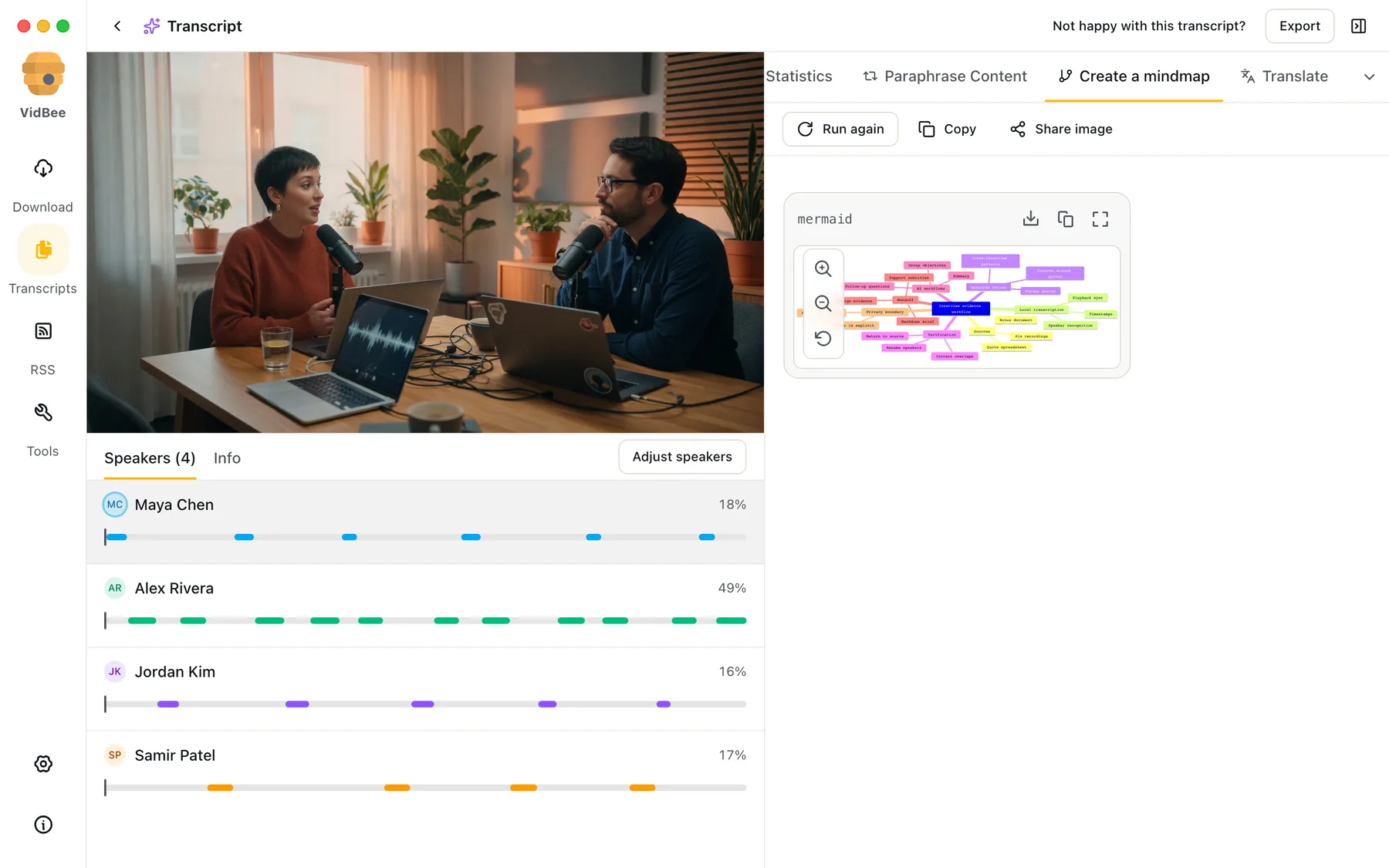
Summarize a long conversation, translate every line, build an FAQ, or map the main ideas. Start with a built-in workflow or write your own prompt.
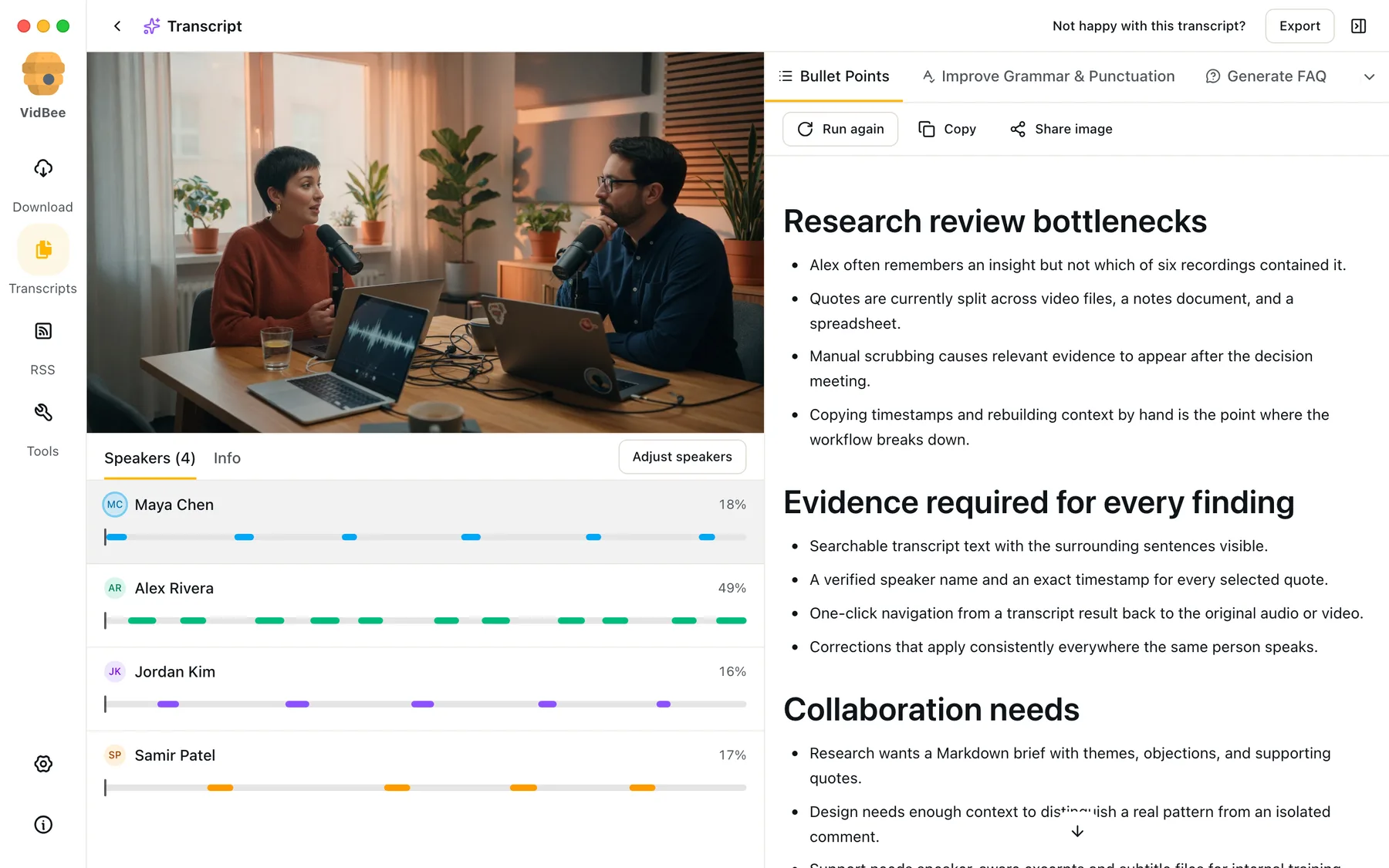
Write once, save it, and run the same workflow on any transcript.
Start with practical prompts for the tasks people repeat most.
Bring your own API key, connect Ollama or LM Studio, or add a custom OpenAI-compatible endpoint.
Powered by yt-dlp, with support for YouTube, TikTok, Instagram, Facebook, Bilibili, and 1000+ other sites.
Community feedback about VidBee in their own words—click a card to open the original post.

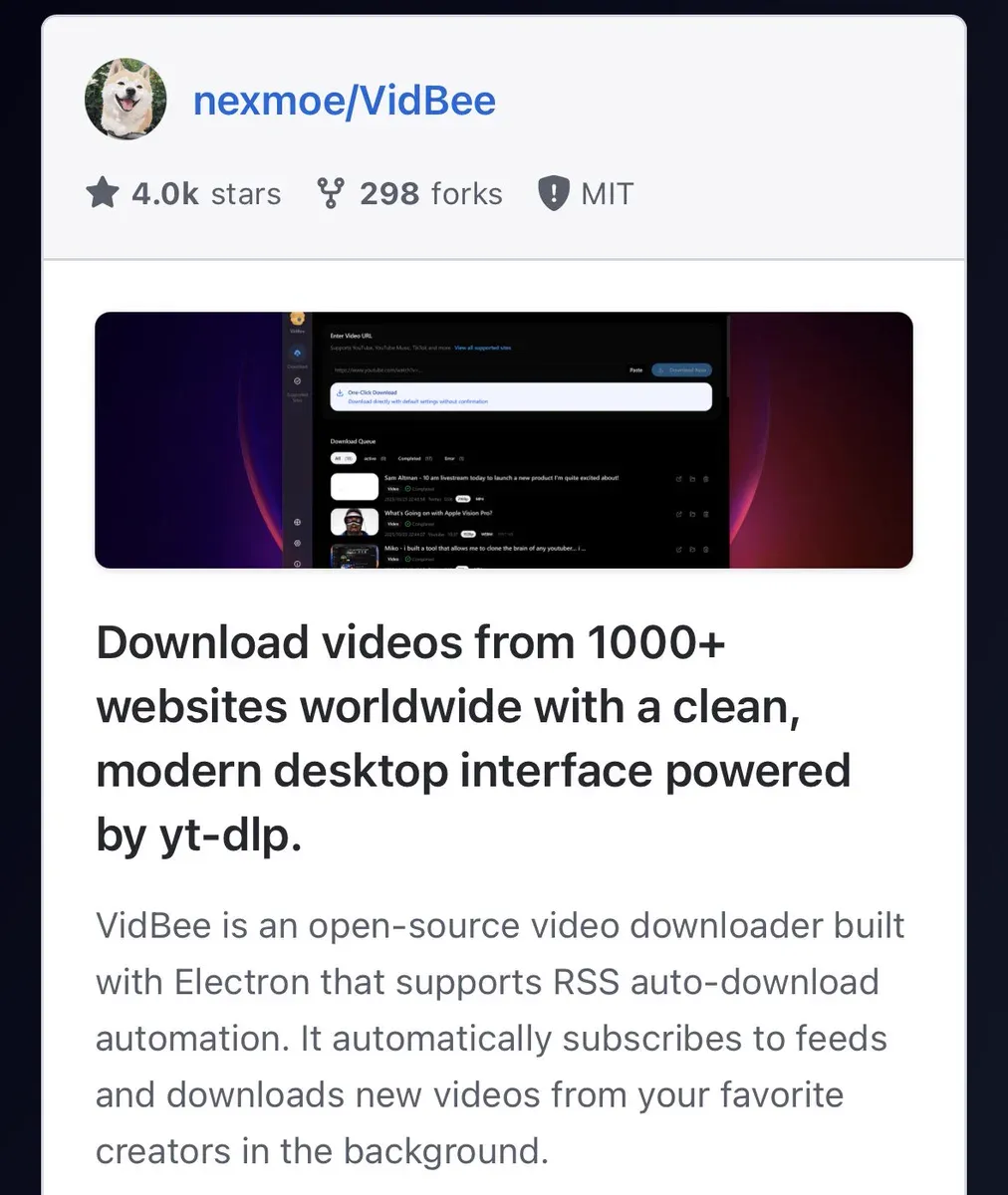
Video downloader for 1000+ websites powered by yt-dlp github.com/nexmoe/VidBee/
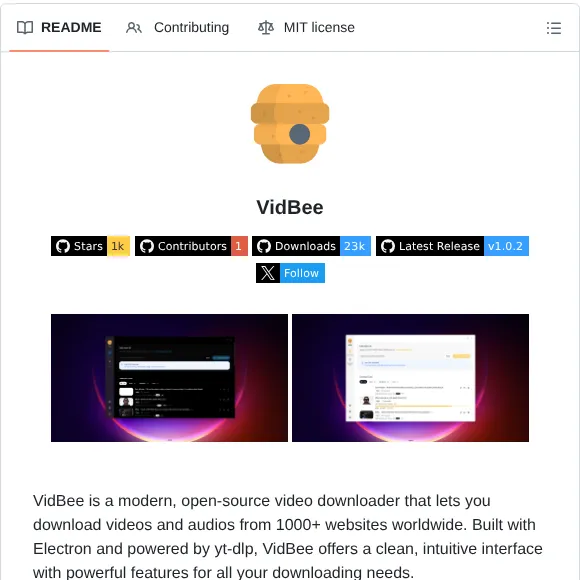

Download videos from almost any website worldwide

This tool can download literally anything from link 🤯 100% free. Open source. No ads.
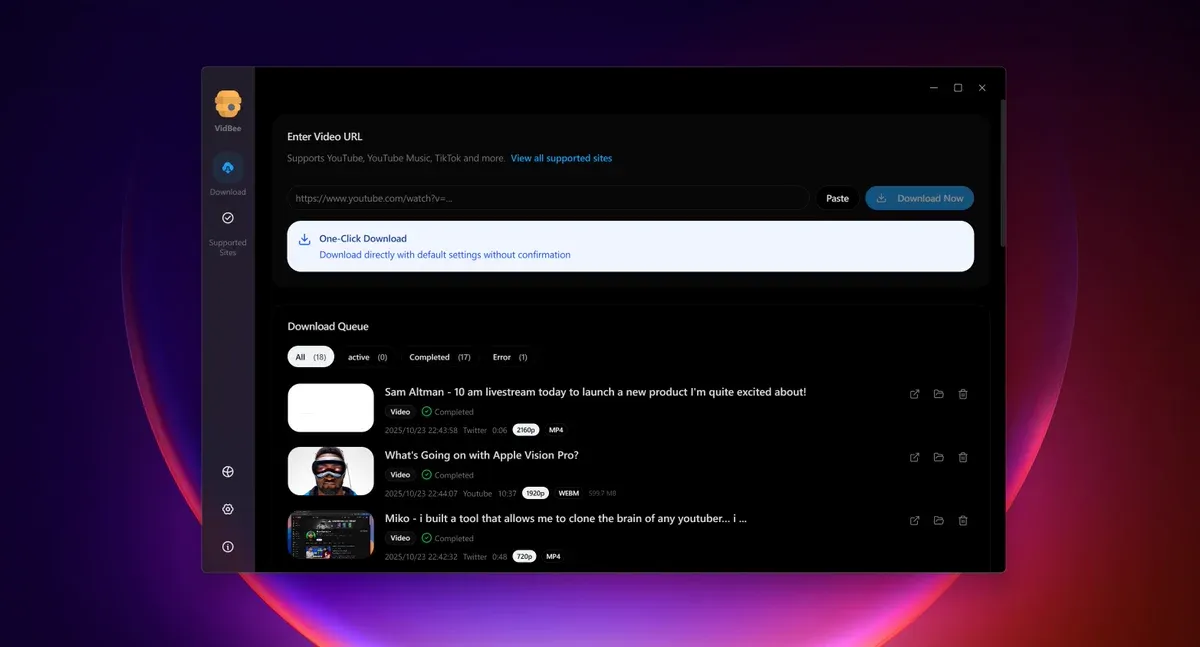

💥 VidBee is a modern, open-source video downloader that lets you download videos and audios from 1000+ websites worldwide. GitHub: github.com/nexmoe/VidBee
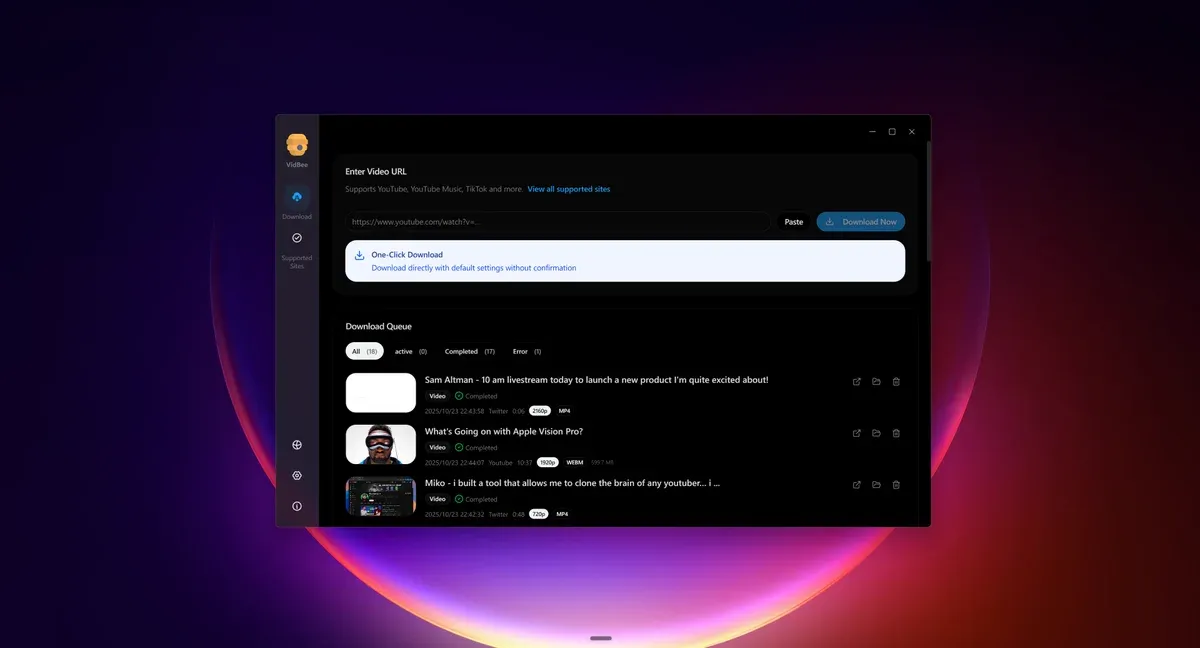

Holy shit... someone just open-sourced a desktop app that downloads video from 1,000+ websites. YouTube. TikTok. Instagram. Twitter. Facebook. All of them. For free. It's called VidBee and it's the cleanest video downloader I've ever seen. No sketchy browser extensions. No $10/month subscriptions. No ads. No malware popups. Just paste a URL and download. Here's what makes it different: → Powered by yt-dlp (the most powerful download engine on the planet) → Built-in FFmpeg for automatic format conversion → One-click pause, resume, and retry downloads → RSS auto-download — subscribe to a creator and it downloads every new upload automatically in the background → Desktop app for Mac, Windows, and Linux → Web + API version with Docker support → 7,500+ GitHub stars and growing fast The wildest part? It has RSS automation. You subscribe to your favorite YouTube channels or TikTok creators and VidBee downloads every new video they post — automatically. No manual work. Ever. This is the kind of tool that gets mass reported and taken down. 100% Open Source. MIT Licensed. Bookmark this before it disappears.
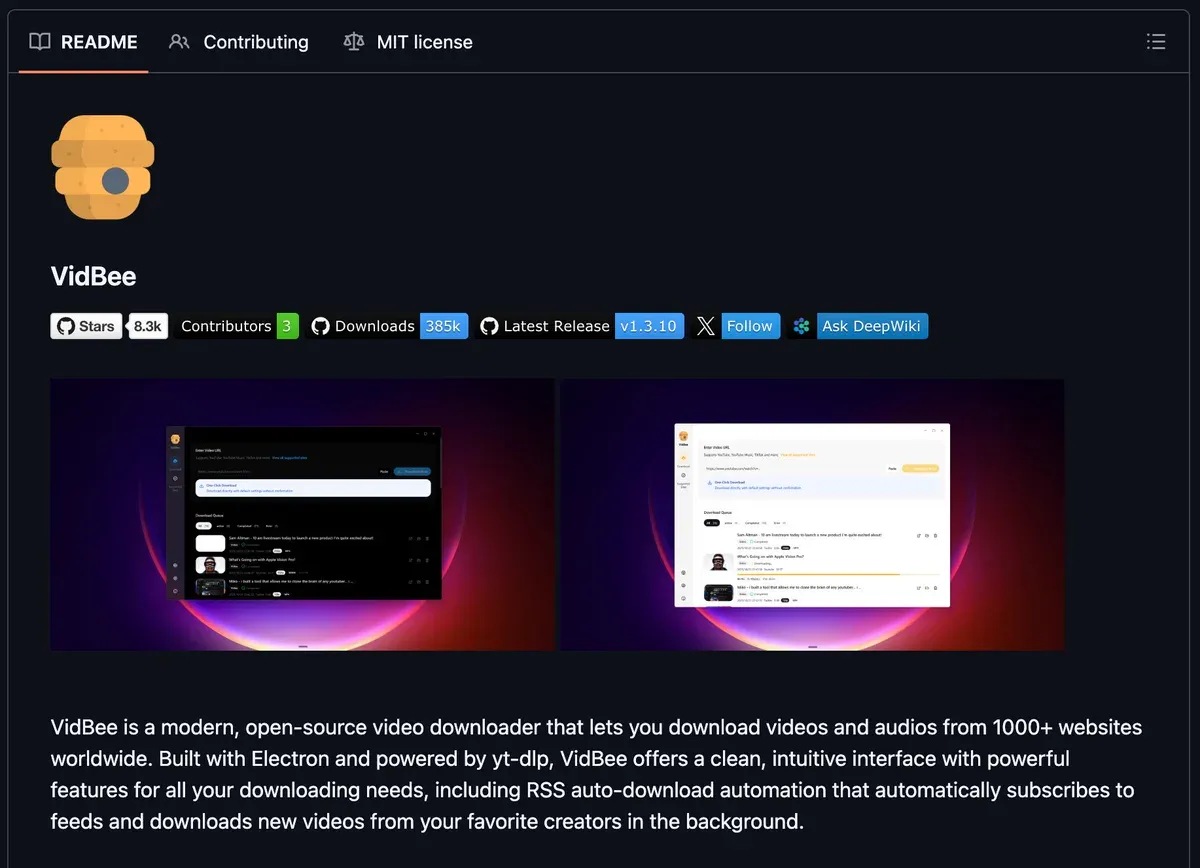

It is always handy to have contingencies in your #OSINT Toolbox. Here is a resource to help you download videos. github.com/nexmoe/VidBee/
To deliver an out-of-the-box experience, we bundle yt-dlp, the Deno JS runtime, ffmpeg, and ffprobe so downloads succeed more often and formats, audio, and subtitles work immediately. Other software keeps installers small by downloading these after installation, but that slows down the first-run experience.
Save videos locally, find exact spoken moments, and turn transcripts into summaries, translations, or reusable notes.
Completely free. No registration or account required.

'%3e%3c/path%3e%3cpath%20d='M20.616%2010.835a14.147%2014.147%200%2001-4.45-3.001%2014.111%2014.111%200%2001-3.678-6.452.503.503%200%2000-.975%200%2014.134%2014.134%200%2001-3.679%206.452%2014.155%2014.155%200%2001-4.45%203.001c-.65.28-1.318.505-2.002.678a.502.502%200%20000%20.975c.684.172%201.35.397%202.002.677a14.147%2014.147%200%20014.45%203.001%2014.112%2014.112%200%20013.679%206.453.502.502%200%2000.975%200c.172-.685.397-1.351.677-2.003a14.145%2014.145%200%20013.001-4.45%2014.113%2014.113%200%20016.453-3.678.503.503%200%20000-.975%2013.245%2013.245%200%2001-2.003-.678z'%20fill='url(%23lobe-icons-gemini-1-_R_0_)'%3e%3c/path%3e%3cpath%20d='M20.616%2010.835a14.147%2014.147%200%2001-4.45-3.001%2014.111%2014.111%200%2001-3.678-6.452.503.503%200%2000-.975%200%2014.134%2014.134%200%2001-3.679%206.452%2014.155%2014.155%200%2001-4.45%203.001c-.65.28-1.318.505-2.002.678a.502.502%200%20000%20.975c.684.172%201.35.397%202.002.677a14.147%2014.147%200%20014.45%203.001%2014.112%2014.112%200%20013.679%206.453.502.502%200%2000.975%200c.172-.685.397-1.351.677-2.003a14.145%2014.145%200%20013.001-4.45%2014.113%2014.113%200%20016.453-3.678.503.503%200%20000-.975%2013.245%2013.245%200%2001-2.003-.678z'%20fill='url(%23lobe-icons-gemini-2-_R_0_)'%3e%3c/path%3e%3cdefs%3e%3clinearGradient%20gradientUnits='userSpaceOnUse'%20id='lobe-icons-gemini-0-_R_0_'%20x1='7'%20x2='11'%20y1='15.5'%20y2='12'%3e%3cstop%20stop-color='%2308B962'%3e%3c/stop%3e%3cstop%20offset='1'%20stop-color='%2308B962'%20stop-opacity='0'%3e%3c/stop%3e%3c/linearGradient%3e%3clinearGradient%20gradientUnits='userSpaceOnUse'%20id='lobe-icons-gemini-1-_R_0_'%20x1='8'%20x2='11.5'%20y1='5.5'%20y2='11'%3e%3cstop%20stop-color='%23F94543'%3e%3c/stop%3e%3cstop%20offset='1'%20stop-color='%23F94543'%20stop-opacity='0'%3e%3c/stop%3e%3c/linearGradient%3e%3clinearGradient%20gradientUnits='userSpaceOnUse'%20id='lobe-icons-gemini-2-_R_0_'%20x1='3.5'%20x2='17.5'%20y1='13.5'%20y2='12'%3e%3cstop%20stop-color='%23FABC12'%3e%3c/stop%3e%3cstop%20offset='.46'%20stop-color='%23FABC12'%20stop-opacity='0'%3e%3c/stop%3e%3c/linearGradient%3e%3c/defs%3e%3c/svg%3e)


'%3e%3c/path%3e%3cpath%20d='M18.397%2015.296H7.4a.51.51%200%2000-.347.882l7.066%206.595c.206.192.477.298.758.298h6.226l-2.706-7.775z'%20fill='%230078D4'%3e%3c/path%3e%3cpath%20d='M15.272.857H7.497L0%2023.071h7.775l1.596-4.73%205.068%204.73h6.665l-2.707-7.775h-7.998L15.272.857z'%20fill='url(%23lobe-icons-azure-1-_R_0_)'%3e%3c/path%3e%3cpath%20d='M17.193%201.613a1.11%201.11%200%2000-1.052-.756h-7.81.035c.477%200%20.9.304%201.052.756l6.748%2019.992a1.11%201.11%200%2001-1.052%201.466h-.12%207.895a1.11%201.11%200%20001.052-1.466L17.193%201.613z'%20fill='url(%23lobe-icons-azure-2-_R_0_)'%3e%3c/path%3e%3cdefs%3e%3clinearGradient%20gradientUnits='userSpaceOnUse'%20id='lobe-icons-azure-0-_R_0_'%20x1='8.247'%20x2='1.002'%20y1='1.626'%20y2='23.03'%3e%3cstop%20stop-color='%23114A8B'%3e%3c/stop%3e%3cstop%20offset='1'%20stop-color='%230669BC'%3e%3c/stop%3e%3c/linearGradient%3e%3clinearGradient%20gradientUnits='userSpaceOnUse'%20id='lobe-icons-azure-1-_R_0_'%20x1='14.042'%20x2='12.324'%20y1='15.302'%20y2='15.888'%3e%3cstop%20stop-opacity='.3'%3e%3c/stop%3e%3cstop%20offset='.071'%20stop-opacity='.2'%3e%3c/stop%3e%3cstop%20offset='.321'%20stop-opacity='.1'%3e%3c/stop%3e%3cstop%20offset='.623'%20stop-opacity='.05'%3e%3c/stop%3e%3cstop%20offset='1'%20stop-opacity='0'%3e%3c/stop%3e%3c/linearGradient%3e%3clinearGradient%20gradientUnits='userSpaceOnUse'%20id='lobe-icons-azure-2-_R_0_'%20x1='12.841'%20x2='20.793'%20y1='1.626'%20y2='22.814'%3e%3cstop%20stop-color='%233CCBF4'%3e%3c/stop%3e%3cstop%20offset='1'%20stop-color='%232892DF'%3e%3c/stop%3e%3c/linearGradient%3e%3c/defs%3e%3c/svg%3e)

